Difference between revisions of "Jewel"
From Drawn to Life Wiki
| Line 27: | Line 27: | ||
{{BR|Clear}} | {{BR|Clear}} | ||
| + | =={{Icon|Painting}} Media== | ||
| + | <gallery widths="310" captionsize="medium" captiontextcolor="#8e8e8e" bordersize="none" bordercolor="transparent" captionalign="center" spacing="small" position="center"> | ||
| + | <gallery widths="310" captionsize="medium" captiontextcolor="#8e8e8e" bordersize="none" bordercolor="transparent" captionalign="center" spacing="small" position="center"> | ||
| + | File:JewelDrawingLocation.png|The area where this creation is drawn. | ||
| + | File:JewelDrawingPrompt.png|The drawing prompt for this creation. | ||
| + | File:JewelEx.png|A player's Jewel design. | ||
| + | </gallery> | ||
| + | |||
| + | __NOTOC__ | ||
Revision as of 22:15, 26 March 2021
| Jewel | |
| Information | |
|---|---|
| Name | Jewel |
| Use | Statue Activator |
| Creation Type | Level Object |
| Has Preset | No |
| Template Needed | No |
| Created In/After | Conch Ruins |
| Game(s) | 
|

“Draw a jewel to activate certain statues.”
–Design Prompt
Jewels are creations in Drawn to Life. They are first drawn in the Conch Ruins. The Hero can pick up a jewel and place it on a pedestal to activate certain Statues. They can also be found underwater.
 Appearance

Due to the Jewel being a creation object, the appearance of this object is completely dependent on the player.
They are still restricted to the area provided.
 Levels
Trivia
- The Jewel is the first creation made in Conch Ruins.
- The Jewel is one of the creations that does not support transparency.
 Media
Media

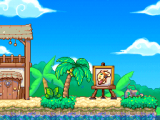
The area where this creation is drawn.

The drawing prompt for this creation.

A player's Jewel design.


