Difference between revisions of "Switch Activated Platform"
m |
|||
| Line 4: | Line 4: | ||
|Preset=[[File:FireFlyPlatform.png]] | |Preset=[[File:FireFlyPlatform.png]] | ||
|Temp=[[File:SwitchPlatformTemp.png|SwitchPlatformTemp.png]] | |Temp=[[File:SwitchPlatformTemp.png|SwitchPlatformTemp.png]] | ||
| − | |||
| − | |||
| − | |||
| − | |||
| − | |||
| − | |||
}} | }} | ||
|name=Switch Activated Platform | |name=Switch Activated Platform | ||
Revision as of 01:29, 3 June 2023
| Switch Activated Platform | |
| Information | |
|---|---|
| Name | Switch Activated Platform |
| Use | Transport for the Hero |
| Creation Type | Level Object |
| Has Preset | Yes |
| Template Needed | No |
| Created In/After | Techno Spires |
| Game(s) | 
|
Not to be confused with the 3 Way Switch.
–Design Prompt
The Switch Activated Platform is first created in the Galactic Jungle level Techno Spires. The platform is controlled by a Firefly Jar that can be turned on or off. The Hero can do this by either using a weapon, or going into spider form and shooting a web at the jar.
When the Hero hits a blue jar, the platform moves to another location. When the Hero hits a green jar, the platform moves, but after a few seconds, the platform returns to its original location.
 Appearance

Due to the Switch Activated Platform being a creation object, the appearance is overall dependent on the player.
They are still confined to the area provided.
 Levels

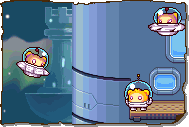

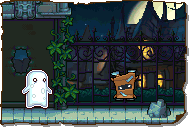
Trivia
- This creation is similar to the 3 Way Switch creation from the first game.
- The creation is also referred to as "Switch" in the game.
- Despite this, the creation is not a switch.
- Coincidentally, the 3 Way Switch from the first game is also referred to as a switch.
 Media
Media


The drawing prompt for this creation.
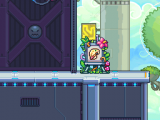
The area where this creation is drawn.


