Difference between revisions of "Stormy Cloud"
From Drawn to Life Wiki
| (13 intermediate revisions by 3 users not shown) | |||
| Line 1: | Line 1: | ||
| − | |||
{{Infobox/Creation | {{Infobox/Creation | ||
|image = [[File:DrawingCloud.png]] | |image = [[File:DrawingCloud.png]] | ||
|name = Stormy Cloud | |name = Stormy Cloud | ||
|use = Acts as a moving platform for the player | |use = Acts as a moving platform for the player | ||
| − | |||
|type = Level Object | |type = Level Object | ||
|guide = No | |guide = No | ||
| + | |template = No | ||
|created = [[Mt. Snowy]] | |created = [[Mt. Snowy]] | ||
| − | + | |games = {{Icon|DTL}} | |
| − | |games = {{Icon| | + | |boxcolor = #089AFF |
}} | }} | ||
| + | {{PDisambig|Cloud}}{{PDisambig|Platform}} | ||
{{Quote | {{Quote | ||
|text = We need a dark and stormy cloud.<br>These will move around to help your progress! | |text = We need a dark and stormy cloud.<br>These will move around to help your progress! | ||
|character = Design Prompt | |character = Design Prompt | ||
}} | }} | ||
| − | |||
| − | Stormy Clouds are used by [[ | + | '''Stormy Clouds''' are creations in ''[[Drawn to Life]]'', drawn in [[Mt. Snowy]], that are used by the [[Hero]] as moving platforms. They generally only move horizontally or vertically, but there are certain clouds in levels that can be seen doing both. |
== {{Icon|Tower}} Appearance == | == {{Icon|Tower}} Appearance == | ||
| Line 23: | Line 22: | ||
They are still confined to a 72<small>px</small> × 32<small>px</small> area. | They are still confined to a 72<small>px</small> × 32<small>px</small> area. | ||
| − | + | ||
== {{Icon|Button}} Levels == | == {{Icon|Button}} Levels == | ||
<tabber> | <tabber> | ||
| − | + | |-|Snow Gate= | |
<table style="width: 100%; padding: 10px;"> | <table style="width: 100%; padding: 10px;"> | ||
<tr> | <tr> | ||
| Line 35: | Line 34: | ||
</tr> | </tr> | ||
</table> | </table> | ||
| − | + | |-|City Gate= | |
<table style=" width:100%; padding: 10px;"> | <table style=" width:100%; padding: 10px;"> | ||
<tr> | <tr> | ||
| Line 43: | Line 42: | ||
</tabber> | </tabber> | ||
| − | == {{ | + | == {{IconSVG|Trivia}} Trivia == |
| − | * There are two types of Stormy Clouds found within levels: one that is constantly moving, and one that is stationary until [[ | + | * This creation lacks a name in certain prototype builds of the game, and is displayed simply as "Need a name" on the [[Draw Mode]] preview. |
| − | + | * There are two types of Stormy Clouds found within levels: one that is constantly moving, and one that is stationary until the [[Hero]] jumps onto it. | |
* Both the [[Cloud]] and the Stormy Cloud use the same creation template. | * Both the [[Cloud]] and the Stormy Cloud use the same creation template. | ||
=={{Icon|Painting}} Media== | =={{Icon|Painting}} Media== | ||
| + | <center> | ||
<gallery orientation="none" position="center" widths="310" spacing="small" bordercolor="transparent" bordersize="small" captiontextcolor="#8e8e8e" captionalign="center" captionposition="below"> | <gallery orientation="none" position="center" widths="310" spacing="small" bordercolor="transparent" bordersize="small" captiontextcolor="#8e8e8e" captionalign="center" captionposition="below"> | ||
| − | + | StormyCloudDraw.png|The drawing prompt for this creation. | |
StormyCloudDrawingArea.png|The area where this creation is drawn. | StormyCloudDrawingArea.png|The area where this creation is drawn. | ||
| − | |||
| − | |||
</gallery> | </gallery> | ||
| − | + | </center> | |
| − | |||
| − | |||
| − | |||
__NOTOC__ | __NOTOC__ | ||
| − | + | {{Navbox/Creation|Drawn to Life|Snow Gate|Mt. Snowy|Stormy Cloud|boxcolor=#089AFF}} | |
[[Category:Drawn to Life]] | [[Category:Drawn to Life]] | ||
[[Category:Creations]] | [[Category:Creations]] | ||
[[Category:Snow Gate]] | [[Category:Snow Gate]] | ||
[[Category:Creations in Drawn to Life]] | [[Category:Creations in Drawn to Life]] | ||
| + | [[Category:Needs More Images]]<!--Needs: | ||
| + | * At least one pic of the Stormy Cloud in a level (either outline or UCO)--> | ||
Latest revision as of 14:20, 2 July 2024
| Stormy Cloud | |
| Information | |
|---|---|
| Name | Stormy Cloud |
| Use | Acts as a moving platform for the player |
| Creation Type | Level Object |
| Has Preset | No |
| Template Needed | No |
| Created In/After | Mt. Snowy |
| Game(s) | 
|

For other uses of Clouds on the wiki, see Cloud.
For other uses of Platforms on the wiki, see Platform.
“We need a dark and stormy cloud.
These will move around to help your progress!”
These will move around to help your progress!”
–Design Prompt
Stormy Clouds are creations in Drawn to Life, drawn in Mt. Snowy, that are used by the Hero as moving platforms. They generally only move horizontally or vertically, but there are certain clouds in levels that can be seen doing both.
 Appearance[edit]

Due to the Stormy Cloud being a creation object and having no pre-drawn preset or guide, the appearance of this object is completely dependent on the player.
They are still confined to a 72px × 32px area.
 Levels[edit]


Trivia[edit]
- This creation lacks a name in certain prototype builds of the game, and is displayed simply as "Need a name" on the Draw Mode preview.
- There are two types of Stormy Clouds found within levels: one that is constantly moving, and one that is stationary until the Hero jumps onto it.
- Both the Cloud and the Stormy Cloud use the same creation template.
 Media[edit]


The drawing prompt for this creation.
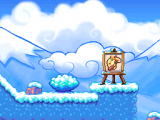
The area where this creation is drawn.


