Difference between revisions of "Doodle Home"
(Created page with "{{Noncanon|boxcolor=brown}} {{Infobox/Creation |image = center |name = Doodle Home |use = Residential |type = Vil...") |
m |
||
| (5 intermediate revisions by one other user not shown) | |||
| Line 1: | Line 1: | ||
| − | {{Noncanon|boxcolor= | + | {{Noncanon|boxcolor=orange}} |
{{Infobox/Creation | {{Infobox/Creation | ||
|image = [[File:DTLSBLARGESQUARETEMP.png|center]] | |image = [[File:DTLSBLARGESQUARETEMP.png|center]] | ||
| Line 9: | Line 9: | ||
|created = [[Bikini Bottom Home]] | |created = [[Bikini Bottom Home]] | ||
|games = {{Icon|DTLSB}} | |games = {{Icon|DTLSB}} | ||
| − | |boxcolor= | + | |boxcolor=orange}} |
{{Disambig|the [[Doodle House]]}} | {{Disambig|the [[Doodle House]]}} | ||
{{Quote | {{Quote | ||
| Line 22: | Line 22: | ||
The Doodle Home houses a number of furniture and home decorations the player is able to draw and rearrange, some of which have additional features. The creations that can be stored here are listed below: | The Doodle Home houses a number of furniture and home decorations the player is able to draw and rearrange, some of which have additional features. The creations that can be stored here are listed below: | ||
| − | * [[File:Bed.png]]<br>[[Bed]], which doubles as a save point | + | * [[File:Bed.png|link=Bed]]<br>[[Bed]], which doubles as a save point |
| − | * [[File:Stereo.png]]<br>[[Stereo]], which allows the player to access the [[Sound | + | * [[File:Stereo.png|link=Stereo]]<br>[[Stereo]], which allows the player to access the [[Sound Menu]] |
| − | * [[File:Television.png]]<br>[[Television]], which allows the player to view the [[Drawn to Life: SpongeBob SquarePants Edition Credits|Credits]] | + | * [[File:Television.png|link=Television]]<br>[[Television]], which allows the player to view the [[Drawn to Life: SpongeBob SquarePants Edition Credits|Credits]] |
| − | * [[File:Sofa.png]]<br>[[Sofa]] | + | * [[File:Sofa.png|link=Sofa]]<br>[[Sofa]] |
| − | * [[File:ClockSB.png]]<br>[[Clock (SpongeBob SquarePants Edition)|Clock]] | + | * [[File:ClockSB.png|link=Clock (SpongeBob SquarePants Edition)]]<br>[[Clock (SpongeBob SquarePants Edition)|Clock]] |
| − | * [[File:TableOfTriumph.png]]<br>[[Table]] | + | * [[File:TableOfTriumph.png|link=Table]]<br>[[Table]] |
| − | * [[File:Houseplant.png]]<br>[[Houseplant]] | + | * [[File:Houseplant.png|link=Houseplant]]<br>[[Houseplant]] |
| − | * [[File:WallDecoration.png]]<br>[[Wall Decoration]] | + | * [[File:WallDecoration.png|link=Wall Decoration]]<br>[[Wall Decoration]] |
* [[File:Weirdrobe.png]]<br>[[Weirdrobe]] | * [[File:Weirdrobe.png]]<br>[[Weirdrobe]] | ||
| − | * [[File:GaryRearrange.png]]<br>[[Pet (SpongeBob SquarePants Edition)|Pet]] | + | * [[File:GaryRearrange.png|link=Pet (SpongeBob SquarePants Edition)]]<br>[[Pet (SpongeBob SquarePants Edition)|Pet]] |
== {{Icon|Quote}} Dialogue Exchanges == | == {{Icon|Quote}} Dialogue Exchanges == | ||
| Line 55: | Line 55: | ||
* The Doodle Home and [[Doodle House]]s are the only residential housing creations in the entire [[Drawn to Life series]]. | * The Doodle Home and [[Doodle House]]s are the only residential housing creations in the entire [[Drawn to Life series]]. | ||
** They aren't the only building creations, however - the [[Village Observatory]] in the original [[Drawn to Life]] is drawn by the player. | ** They aren't the only building creations, however - the [[Village Observatory]] in the original [[Drawn to Life]] is drawn by the player. | ||
| − | * This creation plays similarly to [[ | + | * This creation plays similarly to the [[Bedroom]] on [[Turtle Rock]] in ''[[Drawn to Life: The Next Chapter]]'', albeit with different features. |
| − | ** Unlike the Doodle Home, however, | + | ** Unlike the Doodle Home, however, the Bedroom doesn't allow the player to rearrange the room's contents. |
== {{Icon|Painting}} Media== | == {{Icon|Painting}} Media== | ||
| Line 66: | Line 66: | ||
</gallery> | </gallery> | ||
</center> | </center> | ||
| − | {{Navbox/Creation||boxcolor= | + | {{Navbox/Creation|boxcolor=orange|Drawn to Life: SpongeBob SquarePants Edition|Bikini Bottom|Doodle Home}} |
| + | {{Navbox/Building|boxcolor=orange|Drawn to Life: SpongeBob SquarePants Edition|Bikini Bottom|Doodle Home}} | ||
__NOTOC__ | __NOTOC__ | ||
[[Category:Buildings]] | [[Category:Buildings]] | ||
[[Category:Creations]] | [[Category:Creations]] | ||
| + | [[Category:Village Creation]] | ||
[[Category:Drawn to Life: SpongeBob SquarePants Edition]] | [[Category:Drawn to Life: SpongeBob SquarePants Edition]] | ||
[[Category:Buildings in Drawn to Life: SpongeBob SquarePants Edition]] | [[Category:Buildings in Drawn to Life: SpongeBob SquarePants Edition]] | ||
[[Category:Creations in Drawn to Life: SpongeBob SquarePants Edition]] | [[Category:Creations in Drawn to Life: SpongeBob SquarePants Edition]] | ||
[[Category:Bikini Bottom]] | [[Category:Bikini Bottom]] | ||
Latest revision as of 09:38, 27 March 2025
This Article Contains Non-Canon Content! This page contains content that is not a part of the official canon. Drawn to Life: SpongeBob SquarePants Edition. Non-canon media includes; theories, fan art, speculation, or games published by developers other than 5th Cell or Digital Continue. |
| Doodle Home | |
| Information | |
|---|---|
| Name | Doodle Home |
| Use | Residential |
| Creation Type | Village Object |
| Has Preset | No |
| Template Needed | No |
| Created In/After | Bikini Bottom Home |
| Game(s) | 
|

Not to be confused with the Doodle House.
–Prompt
The Doodle Home is the first Village Creation drawn in Drawn to Life: Spongebob Squarepants Edition, and where all the House Decorations are stored. It acts as a residential house for DoodlePants to live in after the Tutorial, and once inside the player can access any creation in the game and rearrange decorations.
 AppearanceEdit

Due to the Doodle Home being a creation object and having no pre-drawn preset or guide, the appearance of this object is completely dependent on the player.
 House DecorationsEdit
The Doodle Home houses a number of furniture and home decorations the player is able to draw and rearrange, some of which have additional features. The creations that can be stored here are listed below:

Bed, which doubles as a save point

Stereo, which allows the player to access the Sound Menu

Television, which allows the player to view the Credits


 Dialogue ExchangesEdit

- Prompt: Draw your own Doodle Home in Bikini Bottom!
- Prompt: Your Doodle Home is complete! Time to head inside!
TriviaEdit
- The Doodle Home and Doodle Houses are the only residential housing creations in the entire Drawn to Life series.
- They aren't the only building creations, however - the Village Observatory in the original Drawn to Life is drawn by the player.
- This creation plays similarly to the Bedroom on Turtle Rock in Drawn to Life: The Next Chapter, albeit with different features.
- Unlike the Doodle Home, however, the Bedroom doesn't allow the player to rearrange the room's contents.
 MediaEdit


The Easel that allows the player to view every creation.
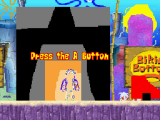
The Doodle Home in Bikini Bottom Home.

The interior of the Doodle Home in it's entirety.


