Difference between revisions of "User:GuyThatExists/Sandbox/Creation"
(Created page with "{{Infobox/Creation |image=<tabber> |-|Drawn Preset=Picture of Preset, if one exists |-|Template=Draw Mode template page (every page should have one of these) </tabber> |name=N...") |
|||
| Line 244: | Line 244: | ||
__NOTOC__ | __NOTOC__ | ||
| − | [[:Category: | + | [[:Category:Games it appears in]] |
[[:Category:Creations]] | [[:Category:Creations]] | ||
Revision as of 18:27, 28 March 2021
| Name of UCO | |
| Information | |
|---|---|
| Name | Name of UCO |
| Use | Brief Description of UCO |
| Creation Type | Level Object/Village Object |
| Has Preset | Yes/No (If the UCO has more than one template, give the number of templates, i.e. Yes, 4) |
| Template Needed | Yes if a Village creation from DTL1, otherwise No |
| Created In/After | Level the Object is created in (In [[ ]]) |
| Game(s) |  or or  or or  or or  or or 
|
–Design Prompt
The (name of UCO) is a creation in (title of the game its in (in [[ ]])) that is drawn in (level (in [[ ]])).
(This should be a slightly longer description of the UCO. Explain how it functions or if any user inputs are required. If it is a purely cosmetic creation, say so here.)
 Appearance

Due to the (name of UCO) being a creation object and having no pre-drawn preset or guide, the appearance of this object is completely dependent on the player.
The preset drawing for this creation is (describe the preset(s)).
 Levels
(Use this tabber for a Drawn to Life creation)


(Use this tabber for a Wii game creation)


(Use this tabber for a TNC creation)


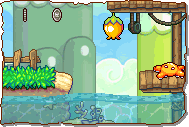 Faraway Beach |
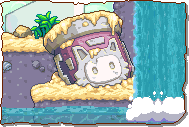 Symphonic Falls |
 Rockin' Ruins |
 Canal Royale |
 Jivin' Rooftops |
 Rhythmic Reef |
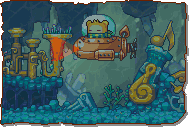 Crescendo Cove |
 Ghastly Ghostship |
 The Abyss |
 Bakibeard's Ship |
 Crystal Caverns |
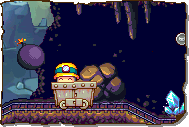 Mine Cart Mayhem |
 Rocky Railroad |
 Lava Reservoir |
 Magma Flow Factory |
 Molten River |
 Robosa Foundry |
 Clockwork Tower |
 Volcanic Core |







Trivia
- (Any trivia for this UCO goes here)
 Media
Media

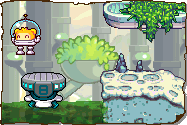
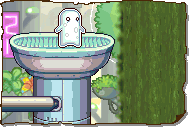
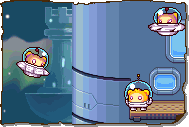
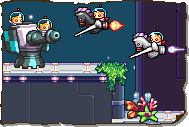
The area where this creation is drawn. (Replace with an accurate image and add any other related imagery)

(you may need to change boxcolor to match the infobox at the top of the page, add "|boxcolor=#" to the end of the navbox)
