Difference between revisions of "Heart"
m |
|||
| (5 intermediate revisions by 2 users not shown) | |||
| Line 1: | Line 1: | ||
| − | ' | + | In most cases, the [[Hero]] can take damage up to five times before dying. When damage is received, colored portions of the Hero's body are removed, exposing the mannequin. The order of exposure starts with the arms; then legs; torso; and finally the head, exposing the entire mannequin. If they are hit after that, the Hero loses a life and has to restart that section of the level. If the Hero has no lives left at the time of death, then a game over message will appear on the screen and the game will continue from the last save point. |
| − | + | '''Hearts''' are the healing items throughout the [[Drawn to Life Series]] that allow the Hero to restore health. They are typically found scattered throughout the levels, with the sole exception of ''[[Drawn to Life: Two Realms]]'', which features no healing items whatsoever. In the original ''[[Drawn to Life]]'', hearts are not creations, but in every subsequent game, they are. | |
| − | ==Drawn to Life== | + | =={{Icon|DTL}} ''Drawn to Life''== |
{{Infobox/Object | {{Infobox/Object | ||
|name=Heart | |name=Heart | ||
| Line 11: | Line 11: | ||
|-|Big Heart=[[File:HeartBig_Small.png]] | |-|Big Heart=[[File:HeartBig_Small.png]] | ||
</tabber> | </tabber> | ||
| − | |use= | + | |use= Healing the [[Hero]] |
|villageobject=No | |villageobject=No | ||
|retrieved=N/A | |retrieved=N/A | ||
| − | |location=All | + | |location=All ''Drawn to Life'' Levels |
|games={{Icon|DTL}} | |games={{Icon|DTL}} | ||
|boxcolor=#e04810 | |boxcolor=#e04810 | ||
| Line 25: | Line 25: | ||
{{Navbox/Object|Drawn to Life|Heart|boxcolor=#e04810}} | {{Navbox/Object|Drawn to Life|Heart|boxcolor=#e04810}} | ||
{{BR|Clear}} | {{BR|Clear}} | ||
| − | == Drawn to Life: The Next Chapter == | + | |
| + | =={{Icon|TNC}} ''Drawn to Life: The Next Chapter''== | ||
{{Infobox/Creation | {{Infobox/Creation | ||
| − | + | |use = Heals the Hero | |
| − | <tabber> | + | |image=<tabber> |
| − | |-|Drawn Preset=[[File: | + | |-|Drawn Preset=[[File:Heart_Preset.png|center]] |
| − | |-|Template Page=[[File:DrawingHealth.png]] | + | |-|Template Page=[[File:DrawingHealth.png|center]] |
</tabber> | </tabber> | ||
| − | + | |type = Level Object | |
| − | + | |name= Health | |
| − | + | |created = [[Baki Basement]] | |
| − | + | |games = {{Icon|TNC}} | |
| − | + | |boxcolor=hotpink | |
| − | |||
| − | |||
| − | |||
| − | |||
| − | |||
| − | |||
| − | |||
| − | |||
}} | }} | ||
| + | {{Quote|text = If the Hero gets hurt, the old mannequin parts will begin to show. Pick up this health item to repair damage done to their body.|character = Design Prompt}} | ||
| − | In | + | In ''[[Drawn to Life: The Next Chapter]]'', the health item is drawn in [[Baki Basement]]. In this game, there is only one size of Heart, at it will always heal one point of health. The amount of health the Hero has left is indicated by how much of the original mannequin can be seen, as in the previous game, but is also shown by how many icons are shown in the top left corner of the bottom screen if the Hero is in Blob form, Spider form, or in the [[Shooter Ship]]. If The Hero loses all of their health, they will be sent back to the start of the level section they were in. |
==={{Icon|Tower}} Appearance=== | ==={{Icon|Tower}} Appearance=== | ||
| − | + | As a creation object, the appearance of this item is up to the player. | |
| − | The | + | The pre-drawn guide is a pink heart. |
| − | + | ||
| − | ==={{Icon|Button}} Levels=== | + | === {{Icon|Button}} Levels === |
<tabber> | <tabber> | ||
|-|Turtle Rock = | |-|Turtle Rock = | ||
| Line 156: | Line 150: | ||
</table> | </table> | ||
</tabber> | </tabber> | ||
| + | |||
| + | === {{IconSVG|Trivia}} Trivia === | ||
| + | * [[Jowee]] rushes into the Baki Basement in order to give The Hero the [[Template]] for this creation. | ||
==={{Icon|Painting}} Media=== | ==={{Icon|Painting}} Media=== | ||
| + | <center> | ||
<gallery widths="310" captionsize="medium" captiontextcolor="#8e8e8e" bordersize="none" bordercolor="transparent" captionalign="center" spacing="small" position="center"> | <gallery widths="310" captionsize="medium" captiontextcolor="#8e8e8e" bordersize="none" bordercolor="transparent" captionalign="center" spacing="small" position="center"> | ||
| + | Health_Prompt.png|The drawing prompt for the Health creation in Drawn to Life: The Next Chapter. | ||
| + | Health_Jowee.png|Jowee telling a Hero about the Health Template in Drawn to Life: The Next Chapter. | ||
HeartDrawingLocation.png|The area where this creation is drawn. | HeartDrawingLocation.png|The area where this creation is drawn. | ||
| − | |||
</gallery> | </gallery> | ||
| − | + | </center> | |
| − | |||
| − | |||
| − | |||
| − | |||
| − | |||
| − | |||
| − | |||
| − | |||
| − | |||
| − | |||
| − | |||
| − | |||
| − | |||
| − | {{ | + | {{Navbox/Creation|Drawn to Life: The Next Chapter|Health (Creation)|boxcolor=hotpink}} |
| − | == Drawn to Life: The Next Chapter (Wii) == | + | ----<br> |
| + | =={{Icon|Wii}} ''Drawn to Life: The Next Chapter (Wii)'' == | ||
| + | {{NoncanonSection|boxcolor=#b02a40}} | ||
{{Infobox/Creation | {{Infobox/Creation | ||
|image=<tabber> | |image=<tabber> | ||
| Line 276: | Line 264: | ||
==={{Icon|Painting}} Media=== | ==={{Icon|Painting}} Media=== | ||
| + | <center> | ||
<gallery widths="310" captionsize="medium" captiontextcolor="#8e8e8e" bordersize="none" bordercolor="transparent" captionalign="center" spacing="small" position="center"> | <gallery widths="310" captionsize="medium" captiontextcolor="#8e8e8e" bordersize="none" bordercolor="transparent" captionalign="center" spacing="small" position="center"> | ||
WiiHeartDrawingLocation.png|The area where this creation is drawn. | WiiHeartDrawingLocation.png|The area where this creation is drawn. | ||
</gallery> | </gallery> | ||
| + | </center> | ||
{{Navbox/Creation|Drawn to Life: The Next Chapter (Wii)|Jangala|Jangala Floor|Heart|boxcolor=#b02a40}} | {{Navbox/Creation|Drawn to Life: The Next Chapter (Wii)|Jangala|Jangala Floor|Heart|boxcolor=#b02a40}} | ||
Latest revision as of 14:01, 3 September 2025
In most cases, the Hero can take damage up to five times before dying. When damage is received, colored portions of the Hero's body are removed, exposing the mannequin. The order of exposure starts with the arms; then legs; torso; and finally the head, exposing the entire mannequin. If they are hit after that, the Hero loses a life and has to restart that section of the level. If the Hero has no lives left at the time of death, then a game over message will appear on the screen and the game will continue from the last save point.
Hearts are the healing items throughout the Drawn to Life Series that allow the Hero to restore health. They are typically found scattered throughout the levels, with the sole exception of Drawn to Life: Two Realms, which features no healing items whatsoever. In the original Drawn to Life, hearts are not creations, but in every subsequent game, they are.
 Drawn to Life[edit]
| Heart | |
| Use | Healing the Hero |
| Village Object | No |
| Retrieved | N/A |
| Location | All Drawn to Life Levels |
| Games |
|


There are two types of hearts in the first game: Small and Large. Small hearts restore damage from up to two hits, whilst large hearts will fully restore The Hero's health.
After collection, hearts will reappear a little after a minute.
 Drawn to Life: The Next Chapter[edit]
| Health | |
| Information | |
|---|---|
| Name | Health |
| Use | Heals the Hero |
| Creation Type | Level Object |
| Has Preset | Yes |
| Template Needed | No |
| Created In/After | Baki Basement |
| Game(s) |
|


–Design Prompt
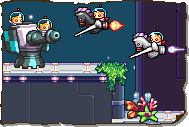
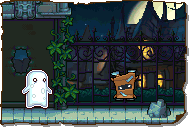
In Drawn to Life: The Next Chapter, the health item is drawn in Baki Basement. In this game, there is only one size of Heart, at it will always heal one point of health. The amount of health the Hero has left is indicated by how much of the original mannequin can be seen, as in the previous game, but is also shown by how many icons are shown in the top left corner of the bottom screen if the Hero is in Blob form, Spider form, or in the Shooter Ship. If The Hero loses all of their health, they will be sent back to the start of the level section they were in.
 Appearance[edit]

As a creation object, the appearance of this item is up to the player.
The pre-drawn guide is a pink heart.
 Levels[edit]

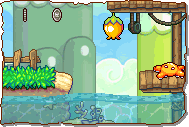 Faraway Beach |
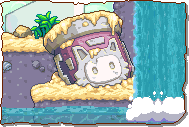 Symphonic Falls |
 Rockin' Ruins |
 Canal Royale |
 Jivin' Rooftops |
 Rhythmic Reef |
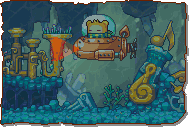 Crescendo Cove |
 Ghastly Ghostship |
 The Abyss |
 BakiBeard's Ship |
 Crystal Caverns |
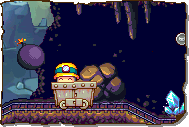 Mine Cart Mayhem |
 Rocky Railroad |
 Lava Reservoir |
 Magma Flow Factory |
 Molten River |
 Robosa Foundry |
 Clockwork Tower |
 Volcanic Core |
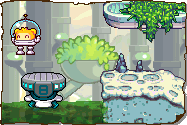

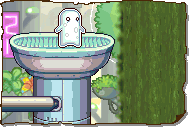


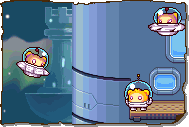




Trivia[edit]
 Media[edit]


The drawing prompt for the Health creation in Drawn to Life: The Next Chapter.
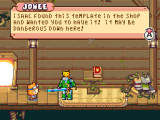
Jowee telling a Hero about the Health Template in Drawn to Life: The Next Chapter.
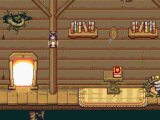
The area where this creation is drawn.


 Drawn to Life: The Next Chapter (Wii)[edit]
This Section of Heart Contains Non-Canon Content! |
| Heart | |
| Information | |
|---|---|
| Name | Heart |
| Use | To heal the Hero |
| Creation Type | Level Object |
| Has Preset | Yes |
| Template Needed | No |
| Created In/After | Jangala Floor |
| Game(s) |
|


–Draw Prompt
In Drawn to Life: The Next Chapter (Wii), Hearts become a creation object, and there are only one kind. In the Wii version, they completely heal the Hero, can be found in every level, and are drawn in Jangala Floor.
Appearance[edit]
Due to the Heart being a creation object, the appearance of this object is completely dependent on the player.
The preset drawing for this creation is a generic red heart with a gold outline.
Levels[edit]


Trivia[edit]
- This is the only creation to appear in every level of the game.
- This is one of the few creations to appear outside the Gate it originated in, Rapoville notwithstanding.
- The other creations are the Trampoline, Vertical Platform, Horizontal Platform, Conveyor Belt, and Button.
Media[edit]
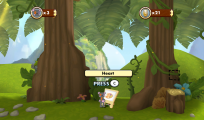
The area where this creation is drawn.

